10 Best Test Data Management Tools for QA Teams (2026 Picks)
Struggling with test data bottlenecks in CI/CD? Compare 10 top test data management tools by features, pricing, and pipeline fit for 2026.
Looking for Smart Playwright Reporter?


A test data management tool automates the creation, masking, and delivery of datasets your test suites need - so QA teams stop waiting on DBAs and start shipping. The best test data management tools in 2026 include K2view for entity-based provisioning, Delphix for data virtualization, Tonic.ai for AI-powered synthetic data, and Snaplet for developer-first open-source workflows.
According to Fortune Business Insights, the global test data management market reached $1.58 billion in 2025 and is growing at a CAGR of 14.1%. That growth is driven by a simple reality: CI/CD pipelines deploy code in minutes, but the data feeding those tests is still weeks old.
Stale datasets produce flaky tests. Raw production data violates GDPR and HIPAA. Manual data provisioning bottlenecks every sprint. QA leads spend more time firefighting data issues than improving coverage.
This guide - updated for April 2026 - covers how to evaluate a test data management tool, compares the 10 best test data management software options, and shows how to build a TDM strategy that integrates directly into your pipeline.
What is test data management?
Test data management (TDM) is the practice of creating, masking, provisioning, and controlling datasets used by software tests across non-production environments.
Think of TDM as the supply chain for your testing pipeline. Without it, automated tests run against random, outdated, or incomplete data, producing results no one can trust.
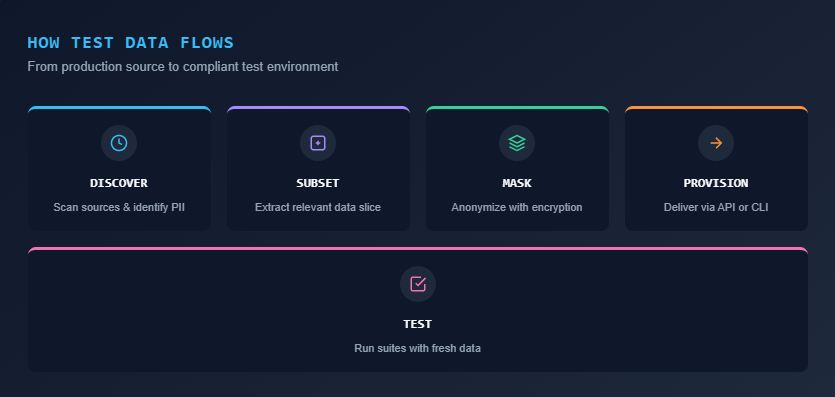
A typical TDM workflow involves five steps:
- Discovery: Scan source systems, identify PII, and map schema dependencies
- Creation: Generate synthetic data or subset production data with referential integrity
- Masking: Replace personally identifiable information using format-preserving rules
- Provisioning: Deliver on-demand test data to the right environment via API or self-service portal
- Versioning: Snapshot and roll back datasets across test cycles for repeatable results
The goal is zero-touch, compliant data delivery for every test run.
Modern test data management tools plug directly into CI/CD pipelines so data refresh and data cloning happen automatically when a build triggers. This is a core part of how teams reduce test failure analysis cycles. If the data feeding your tests is stale or non-representative, no amount of debugging will fix a false negative.
Why stale test data costs your team 4+ sprint hours every cycle
Without a dedicated test data management tool, database provisioning becomes a manual bottleneck. Teams waste an average of 4-8 hours per sprint waiting on DBA tickets, writing custom masking scripts, or debugging tests that failed due to broken foreign-key relationships in outdated staging databases.
Automated testing has matured significantly. Teams use frameworks, parallel execution, and Playwright CI/CD integrations to run suites in under 10 minutes. But the data driving those tests remains the weakest link.
Manual provisioning kills velocity. A tester files a ticket asking a DBA to clone a production database. That ticket sits in a queue. Days pass. Developers context-switch. The sprint slips.
Outdated data produces false signals. Static test datasets drift from reality within weeks. The flaky test benchmark report shows that data-related failures account for a significant portion of test instability across real engineering teams.
Compliance exposure is real. Customer emails, credit card numbers, and health records sitting in a staging database is a regulatory incident waiting to happen. GDPR, HIPAA, and CCPA all restrict how production data can be used in non-production environments.
Referential integrity breaks silently. In microservices architectures, data lives across dozens of databases. Subsetting or masking data without maintaining foreign-key relationships produces broken records and meaningless test results.

Tip:Track exactly how many hours your engineers spend waiting for test data or debugging data-related failures per sprint. If it exceeds 4 hours collectively, an automated TDM tool pays for itself within the first quarter.
A purpose-built test data management tool fixes these issues by automating data delivery, enforcing masking policies, and preserving data integrity across environments.

7 features that separate a good test data management tool from shelf-ware
A high-quality test data management tool must provide automated data masking, referential integrity preservation, synthetic data generation, subsetting, and native CI/CD integration. Missing any of these core features leads to manual workarounds.
Not every test data software product solves the same problem. Some prioritize synthetic data generation, while others focus heavily on compliance masking. Here are the 7 capabilities that matter most for QA workflows.
- Data masking and anonymization: The tool should detect PII automatically and apply consistent masking rules. Look for format-preserving encryption so masked data still passes application validation logic.
- Synthetic data generation: When production data is unavailable or too sensitive, the tool should create realistic synthetic datasets. AI-powered generation produces more statistically accurate records than simple randomization.
- Data subsetting: Full production copies are expensive and slow. Smart subsetting extracts a smaller, representative slice while preserving referential integrity across related tables.
- Self-service provisioning: Developers and QA engineers should be able to request and receive on-demand test data through a portal or API, without tickets or DBA involvement.
- CI/CD integration: The tool must offer REST APIs or native plugins for Jenkins, GitHub Actions, GitLab CI, and Azure DevOps. Data provisioning should trigger automatically within your pipeline.
- Snapshot restore and rollback: Treat test data like code. The ability to snapshot a dataset and roll back to a known-good state is essential for reducing test maintenance overhead.
- Referential integrity preservation: Any subsetting, masking, or generation must maintain foreign-key relationships. Broken integrity equals broken tests.
10 best test data management tools (2026)
Below is a detailed comparison of the 10 best test data management tools available in 2026, evaluated across dimensions that matter to QA teams.
| Tool | Primary strength | Best for | Pricing model |
|---|---|---|---|
| K2view | Entity-based TDM, in-flight masking | Large enterprises with distributed data | Custom quote |
| Delphix (Perforce) | Data virtualization, rapid provisioning | DevOps teams needing fast environment clones | Usage-based (per TB) |
| Tonic.ai | AI-powered synthetic data, de-identification | Privacy-first engineering teams | Tiered subscription |
| Informatica TDM | Enterprise data governance, ETL integration | Organizations in the Informatica ecosystem | Enterprise license |
| IBM InfoSphere Optim | Legacy/mainframe support, stability | Regulated industries with mainframe systems | Enterprise license |
| GenRocket | High-volume synthetic data generation | Continuous testing and edge-case simulation | Subscription |
| DATPROF | Mid-market TDM, user-friendly portal | Mid-sized teams needing quick setup | Subscription |
| Broadcom Test Data Manager | Enterprise-scale masking and profiling | Complex multi-source enterprise environments | Enterprise license |
| Tricentis Tosca TDM | Model-based TDM integrated with test automation | Teams already using Tricentis Tosca | Enterprise license |
| Snaplet | Database snapshots, TypeScript-based config | Developer-first teams and startups | Open-source (FSL-1.1-MIT) |
Note: When we evaluated these tools for real QA pipelines, the biggest differentiator was not features on paper. It was how fast a tester could go from "I need data" to "data is ready" without involving another team.
1. K2view
K2view takes an entity-based approach to test data management. Instead of working at the table level, it models data around business entities like customers, orders, or accounts.
You can request "100 gold-tier customers with active loans" and K2view assembles the full dataset across multiple source systems while preserving referential integrity. In-flight data masking happens as data moves from production to test, eliminating separate masking pipelines.
Choose K2view if: You have complex, distributed enterprise data across relational databases, cloud apps, legacy systems, and flat files.
2. Delphix (Perforce)
Delphix pioneered data virtualization for test environments. Rather than physically copying production databases, it creates lightweight virtual clones that provision in seconds and use a fraction of the storage.
This "shift-left" approach to data is what makes Playwright e2e testing pipelines faster when database-dependent scenarios are involved. Recent 2026 updates include enhanced Kubernetes support, a Data Control Tower for centralized management, and default AES-256 GCM encryption.
Choose Delphix if: Your DevOps team needs near-instant environment provisioning with automated data virtualization. Pricing is usage-based, typically per terabyte of source data managed.
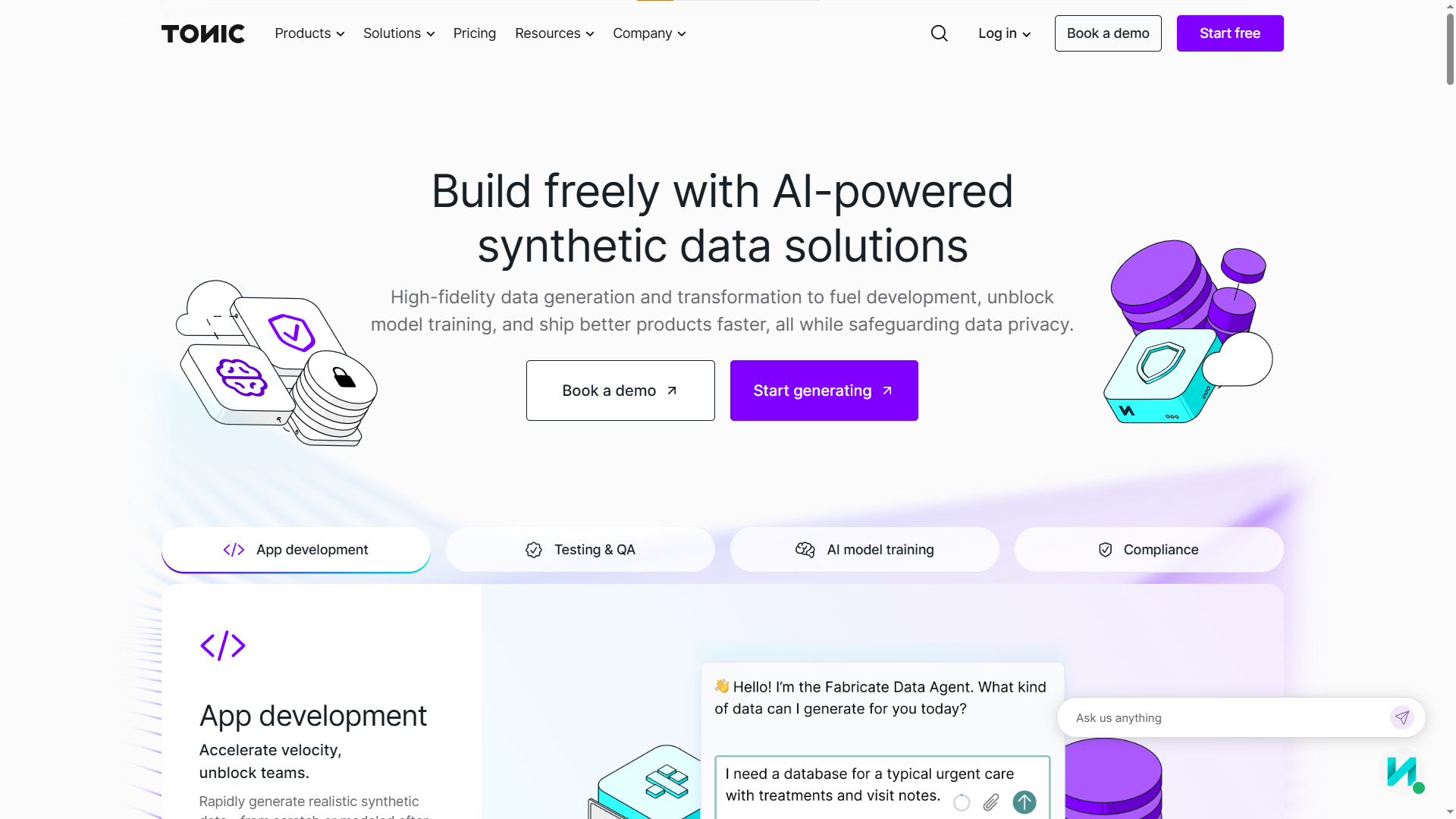
3. Tonic.ai
Tonic.ai focuses on turning sensitive production data into safe, high-fidelity test data. Its three-product suite covers different data types:
-
Tonic Structural: De-identifies and subsets structured database data
-
Tonic Fabricate: Generates synthetic data from scratch using AI agents
-
Tonic Textual: Handles unstructured data like free-text fields, logs, and documents
Choose Tonic.ai if: Privacy compliance is your primary driver and you need automated test data management across both structured and unstructured data sources.
4. Informatica TDM
Informatica's test data management module integrates tightly with its broader data governance and ETL ecosystem. It offers discovery, masking, subsetting, and synthetic generation in a single platform.
If your organization already uses Informatica for data integration or data quality, adding TDM is straightforward. The tradeoff: setup is complex and requires dedicated data platform teams to manage effectively.
Choose Informatica TDM if: You are already standardized on the Informatica ecosystem and need a unified data governance and TDM platform.

5. IBM InfoSphere Optim
IBM InfoSphere Optim is the test data provisioning tool enterprises with mainframe and legacy system dependencies rely on. It provides robust data archiving, subsetting, and masking with deep support for Db2, AS/400, and VSAM datasets.
The tool is heavyweight by design. It requires specialized expertise to operate and implementation timelines are longer than modern alternatives.
Choose IBM Optim if: You operate in a regulated industry (banking, insurance, healthcare) with mainframe infrastructure that demands auditability and governance-first data management.
6. GenRocket
GenRocket specializes in rules-based synthetic data generation at scale. It does not subset or mask production data. Instead, it creates entirely synthetic datasets that match the statistical properties and schema of your application.
This approach works well for teams that cannot use production data at all, need to simulate rare edge cases, or want to generate millions of records for performance testing.
Choose GenRocket if: You need high-volume, automated test data management where production data access is restricted or unavailable. It integrates with CI/CD pipelines via APIs and CLI.

7. DATPROF
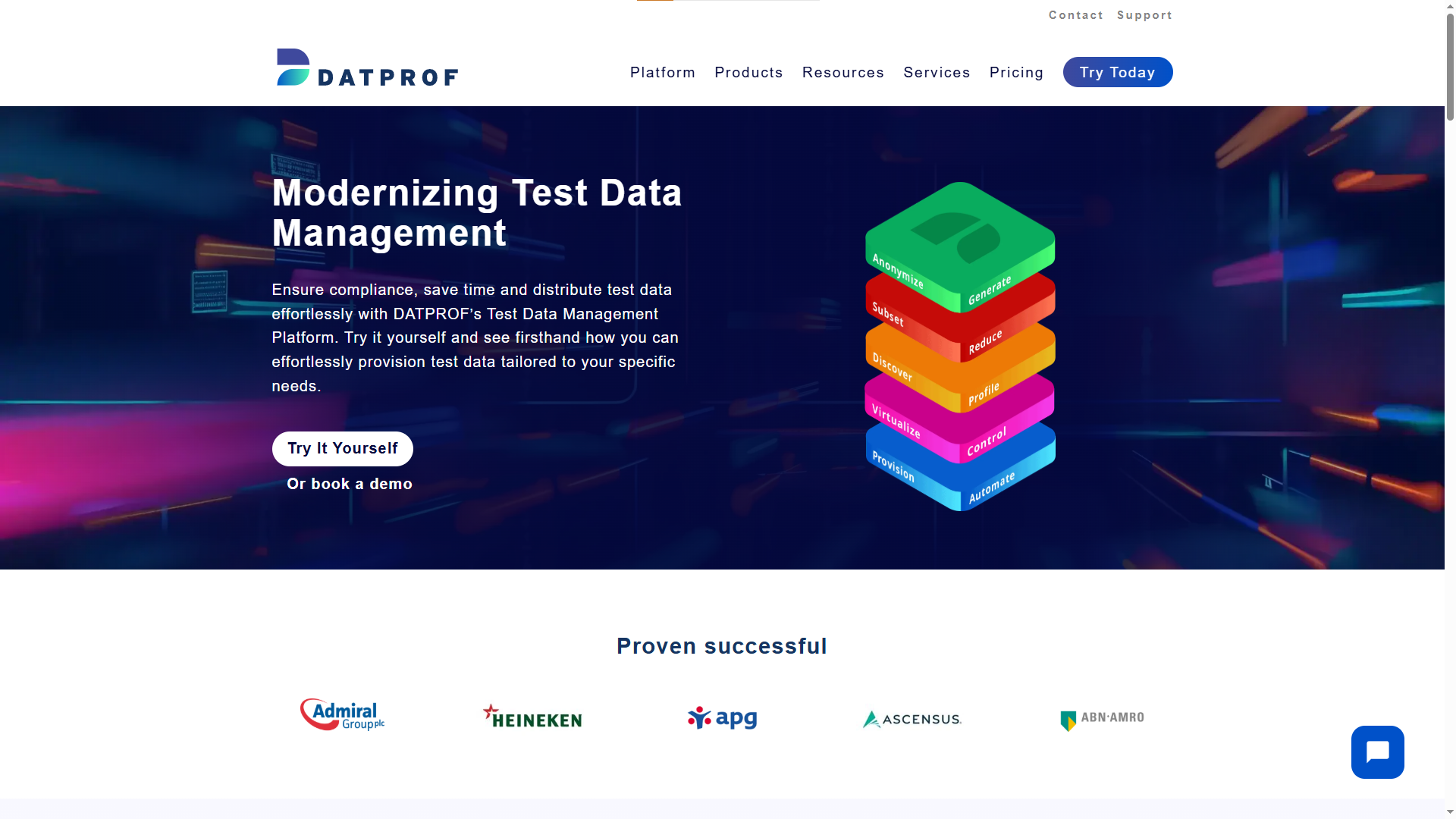
DATPROF positions itself as a modern, accessible alternative to heavyweight enterprise TDM suites. It includes data masking, subsetting, synthetic generation, and a self-service portal in a platform that mid-sized teams can adopt without months of setup.
DATPROF is known for GDPR compliance features and an intuitive interface. It supports multiple database types including Oracle, SQL Server, and PostgreSQL.
Choose DATPROF if: You are a mid-sized team that needs privacy-safe data provisioning without the overhead and licensing costs of a full enterprise TDM suite.
8. Broadcom Test Data Manager
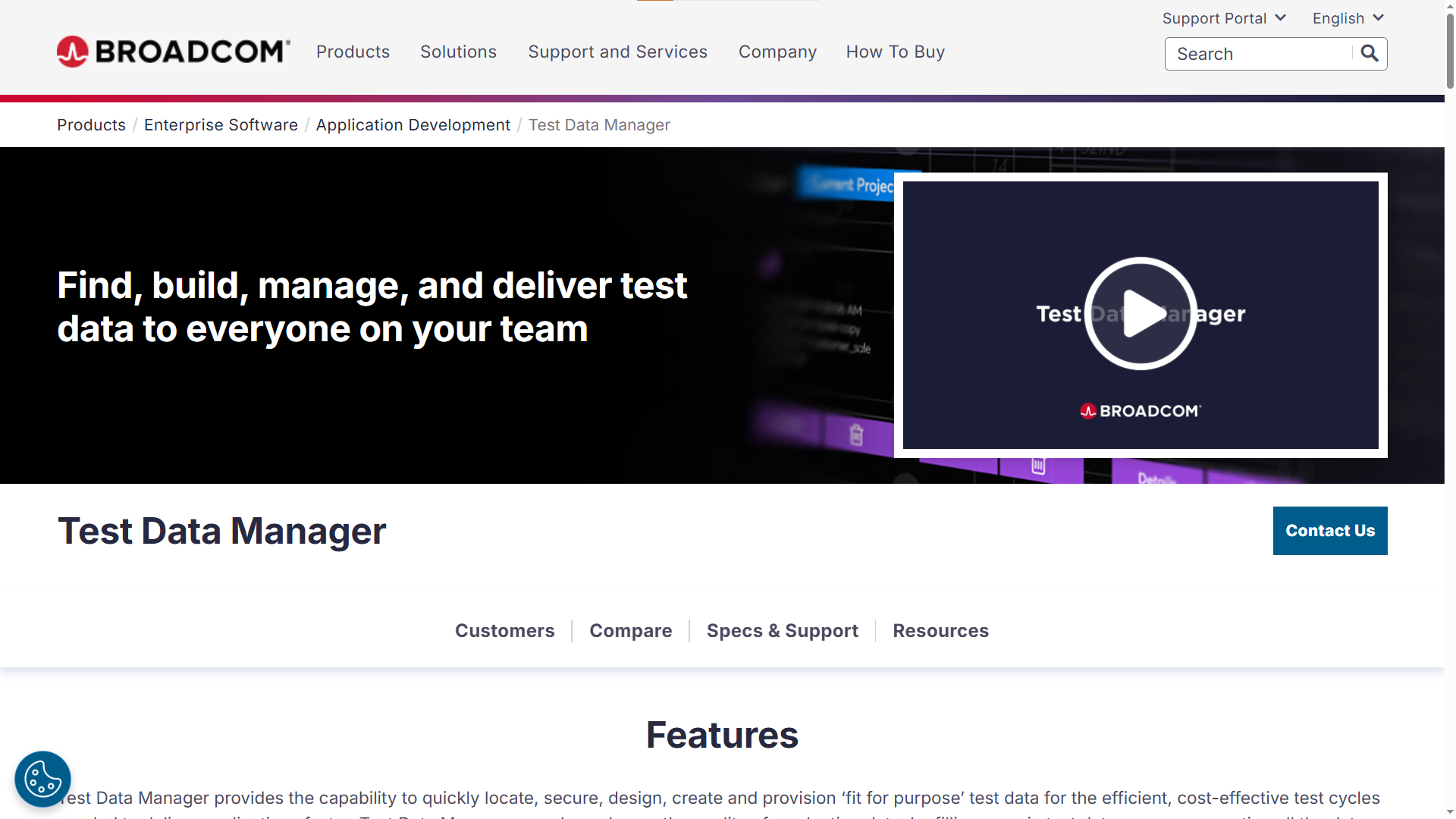
Formerly CA Test Data Manager, Broadcom's offering is a full-featured enterprise platform for synthetic data generation, profiling, masking, and subsetting. It includes a web-based self-service portal and integrates with other Broadcom tools like Agile Requirements Designer.
This data masking tool handles complex, large-scale enterprise data landscapes well. However, it carries typical enterprise overhead in licensing, setup, and administration.
Choose Broadcom TDM if: You have complex, multi-source enterprise environments and are already invested in the Broadcom testing ecosystem.
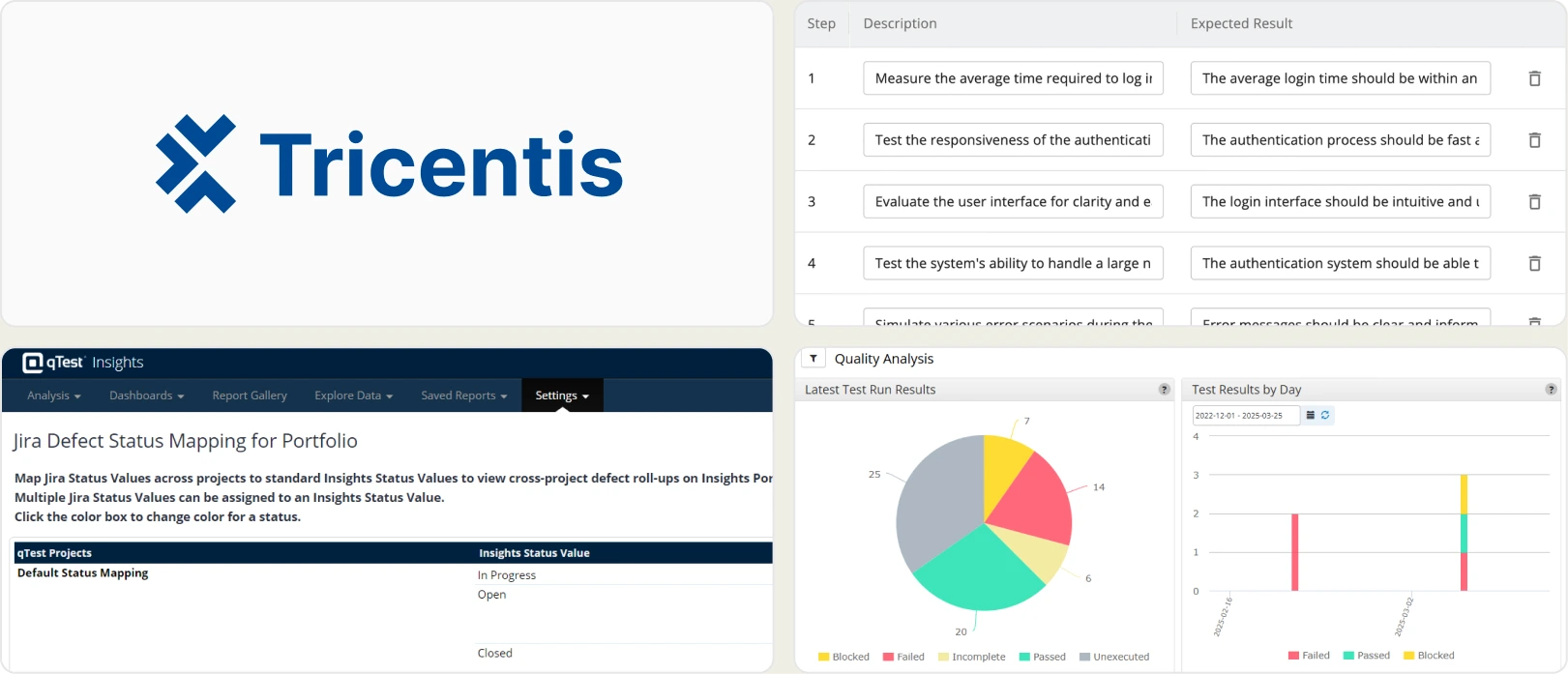
9. Tricentis Tosca TDM
Tricentis Tosca integrates test data management directly into its model-based test automation platform. Data provisioning, masking, and generation happen as part of the test execution flow, not as a separate step.
For teams already standardized on the Tricentis ecosystem, the integration is seamless. Data management is tightly coupled with test design and execution.
Choose Tricentis Tosca TDM if: You already use Tricentis Tosca for test automation and want data provisioning baked into your existing execution pipeline.
10. Snaplet
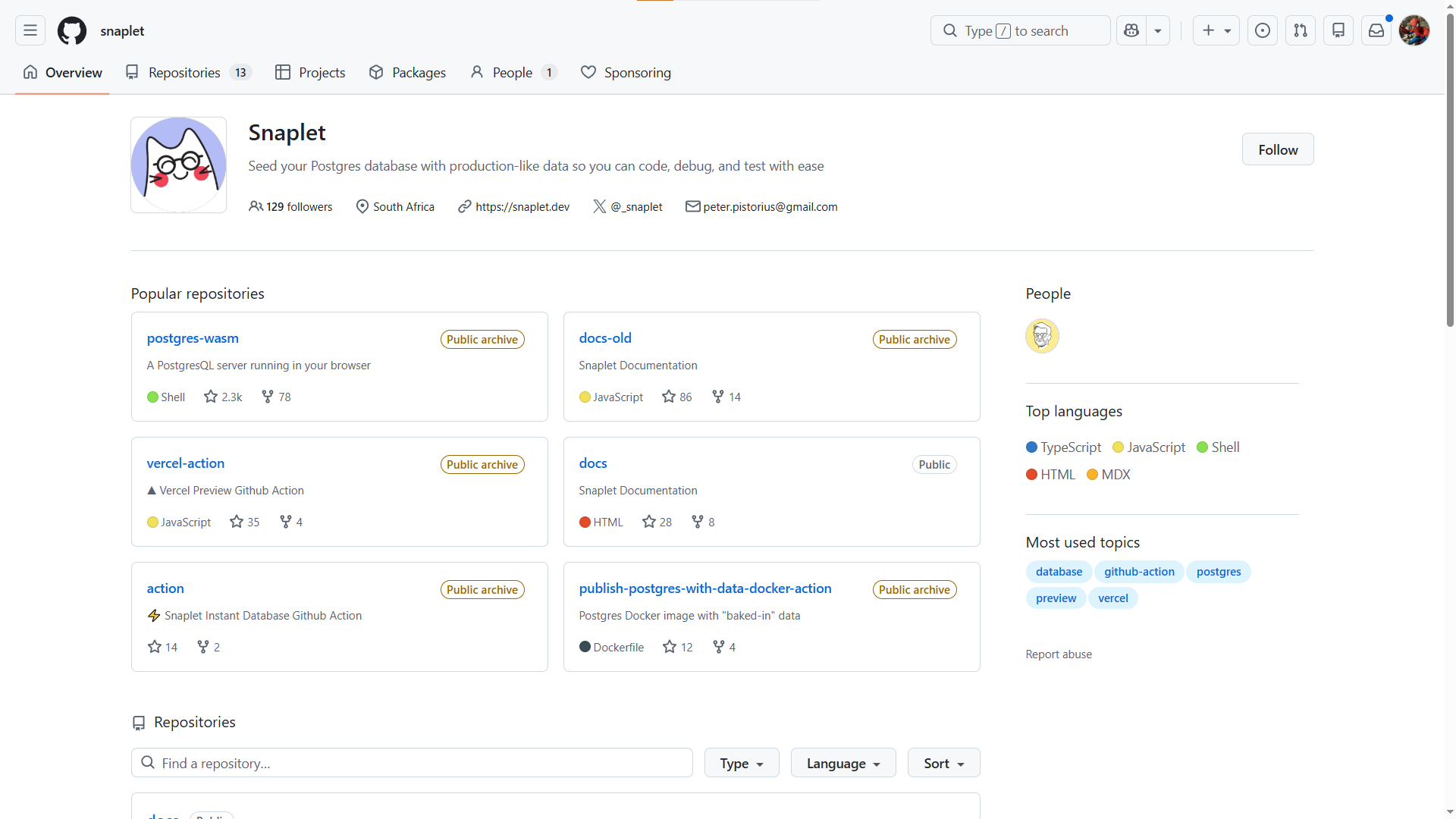
Snaplet is the developer-friendly, open-source option on this list. It is TypeScript-based and built for developer workflows. Core capabilities include:
-
Production database snapshot capture with automatic PII transformation
-
Data subsetting with referential integrity preservation
-
Database seeding with realistic dummy data
Snaplet pairs well with libraries like Faker for supplemental synthetic data generation.
Choose Snaplet if: You are a startup or small team that wants a lightweight synthetic data tool without enterprise licensing or long implementation timelines.
When to use open-source TDM tools vs enterprise platforms (and when the answer flips)
The decision between open-source and enterprise TDM tools depends on your team's scale, compliance requirements, and existing infrastructure.
| Criteria | Open-source (Snaplet, Faker, Jailer) | Enterprise (K2view, Delphix, Informatica) |
|---|---|---|
| Initial cost | Free or low | Custom enterprise pricing |
| Setup time | Hours to days | Weeks to months |
| Data masking | Basic or manual | Advanced, automated PII detection |
| Scalability | Limited to moderate | Multi-TB, multi-database environments |
| Compliance support | DIY configuration | Built-in GDPR, HIPAA, CCPA templates |
| Support | Community forums | Dedicated support teams, SLAs |
| Ideal team size | Startups, small teams (5-20) | Mid to large orgs (50+) |
Open-source tools like Jailer excel at database subsetting. It extracts consistent, referentially intact subsets and supports virtually any DBMS through JDBC. Faker is a lightweight library for generating realistic dummy data and is commonly used in unit tests and database seeding scripts.
Enterprise tools justify their cost when dealing with multi-database environments or automated PII detection across hundreds of tables. Understanding the cost of bugs at different CI/CD stages usually builds the enterprise business case.
Tip: Many teams use a hybrid approach. Start with Faker or Jailer for basic synthetic data and subsetting, then graduate to an enterprise test data platform as compliance and scale requirements grow.
How to build a test data strategy that ships with your CI/CD pipeline
A test data management tool is only as effective as the pipeline surrounding it. True CI/CD velocity requires zero-touch data provisioning connected directly to your test execution framework.
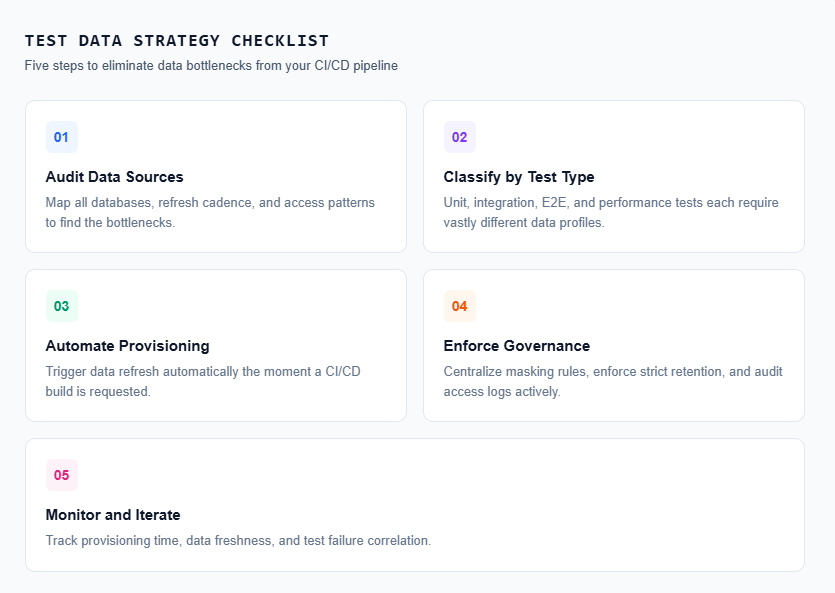
Step 1: audit your current data landscape
Map out your infrastructure before selecting any test data tool:
-
What databases do your integration and E2E tests depend on?
-
Where does test data currently originate (production copies, manual scripts)?
-
How often is that data refreshed?
-
Who provisions the data, and what is the queue time?
This audit reveals your specific bottlenecks. Teams following Playwright best practices know that test stability relies entirely on a deterministic data layer.
Step 2: classify your data needs
Not every test requires the same dataset footprint.
-
Unit tests: Lightweight synthetic data generated in-memory with Faker.
-
Integration tests: Subsetted databases with sensitive PII scrubbed.
-
E2E tests: Representative datasets mirroring production complexity.
-
Performance tests: High-volume synthetic data scaled to millions of rows.
Step 3: automate provisioning in the pipeline
The primary advantage of a modern test data management tool is zero-touch delivery. Configure your pipeline to:
-
Trigger a data refresh the exact moment a build originates.
-
Provision branch-specific datasets (e.g., feature branch gets subset A).
-
Execute validation checks on the provisioned data before testing begins.
# github-actions-workflow.yml
- name: Provision Test Data
  run: |
    curl -X POST https://your-tdm-tool.com/api/provision \\
      -H "Authorization: Bearer ${{ secrets.TDM_TOKEN }}" \\
      -d '{"environment": "staging", "profile": "e2e-full"}'
Step 4: define data governance policies
Establish non-negotiable rules for your test data platform:
-
Non-production environments must strictly use masked or synthetic records.
-
PII masking rules reside in version control.
-
Automated data retention policies sweep old databases dynamically.
Step 5: monitor and iterate
Track provisioning speed, dataset freshness, and failure correlations. Tools that surface test reporting features alongside data metrics provide a complete picture of your pipeline health.
What most TDM guides skip: closing the loop with test intelligence
A test data management tool handles the input phase of your pipeline. But when an end-to-end framework fails, how do you verify if the failure is a genuine code bug, a data configuration issue, or a network timeout?
Test intelligence platforms analyze execution history, detect failure patterns, and output root-cause insights. When paired directly with automated test data management, they create a closed feedback loop.
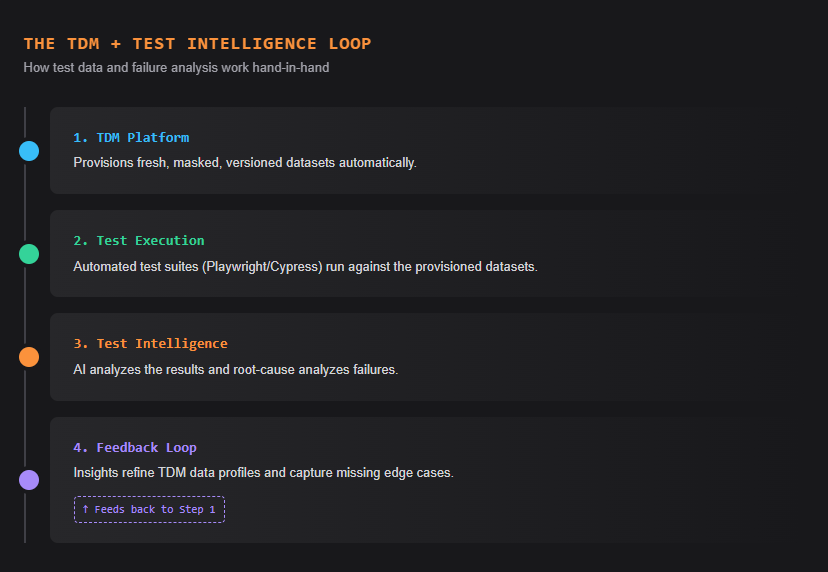
Here is how the loop works:
- TDM provisions fresh, compliant data for every test run
- Automated tests execute against that data
- Test intelligence analyzes the results, identifying whether a failure correlates with a specific data condition, environment, or code change
- Insights feed back into TDM, informing the team to adjust dataset profiles or add edge cases
Without this loop, engineering teams debug failures incorrectly. The Playwright observability platform approach eliminates this gap by natively connecting test execution states with data histories.
Platforms like TestDino form the bridge between test execution and triage. When your test data management tool delivers stable environments, AI-native test intelligence automatically classifies the remaining failures as data-related, environment-related, or application-related.
This drops mean time to resolution (MTTR) significantly because test engineers stop guessing.
Understanding test automation jobs data confirms this trend. Job postings increasingly list "test data strategy" and "data pipeline management" as required skills alongside test automation framework experience.
The one test data decision that separates fast teams from stuck ones
A dedicated test data management tool eliminates the most invisible bottleneck inside your release pipeline. Whether utilizing an open-source library like Faker or deploying an enterprise platform like Delphix, the core objective remains identical: provisioning compliant test data without manual overhead.
Begin by mapping your existing data pipeline. Calculate the exact hours engineers lose to DBA ticket queues, outdated datasets, and debugging false-negative results. That metric dictates the urgency of your test data management tool search.
Select a test data software product that aligns with your specific database stack, regulatory obligations, and CI/CD mechanics. In 2026, automated test data delivery separates fast, reliable engineering teams from sluggish ones.
FAQs
No. Copying raw production data exposes sensitive PII and triggers compliance violations. The NIST Privacy Framework strongly advises against this. Instead, rely on best AI test generation tools to provision synthetic alternatives.
Native test data platforms provide REST APIs or plugins for Jenkins, GitHub Actions, and GitLab. When a build initiates, the pipeline triggers an API call. The tool provisions masked data instantly, similar to how software test reports generate automatically.
Synthetic data is artificially generated information that mirrors production schemas without containing real customer PII. QA teams use it when production data is unavailable, or when Playwright component testing requires simulating extremely rare edge cases.
Pricing models vary entirely by scale. Open-source tools are free, mid-market platforms charge flat subscription fees, and enterprise tools bill by managed terabytes. Compare these models against general test management tools pricing for broader context.
Table of content
Flaky tests killing your velocity?
TestDino auto-detects flakiness, categorizes root causes, tracks patterns over time.
Follow Us